
Community Annotation — Author Guide (Repo Setup + Operations)#
This guide is for dataset authors / maintainers who want to run a community annotation round and keep it healthy at scale.
If you are an annotator (voting only), go to 01_annotator_guide.
How To Read This Guide (Two Tracks)#
Follow these sections in order:
Section 0 (checklists): avoid the common “we started too early” problems.
Section 2 (dataset id): confirm your dataset id is stable.
Section 3–6 (repo + app): create repo, configure
config.json, install GitHub App.Section 7–9 (Cellucid UI): connect, enable fields, tune consensus settings.
Section 12 (export): download
cellucid-consensus.json.Section 13 (troubleshooting): when something breaks.
Read everything, but pay special attention to:
Section 0.3 (people/process): who merges PRs, who merges duplicates, and how decisions are communicated.
Section 5 (GitHub settings): fork/PR flow, CI validation, and branch strategy.
Section 9 (consensus parameters): how thresholds behave under disagreement.
Section 10 (merges): when to merge vs when to leave disputed.
Section 13 (rate limits, storage, and “it works for me” failures).
Starting point in the sidebar#
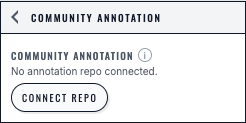
Before repository setup, the Community Annotation panel reports that no repository is connected and presents the explicit Connect repo action.#
2) Choose a Stable Dataset ID (Critical)#
Community annotation is scoped by dataset id. If the id changes, existing annotations will not appear (it becomes a different scope).
How dataset id is determined#
For pre-exported datasets, Cellucid reads
dataset_identity.json["id"].When exporting via
cellucid.prepare(...), you can setdataset_id=....
Example (recommended):
from cellucid import prepare

prepare(
    # ... data args ...
    out_dir="./my_export",
    dataset_id="my_atlas_v1",  # keep this stable for the entire annotation round
    dataset_name="My Atlas (v1)",
    obs_categorical_dtype="uint16",
)
How to confirm:
Open
my_export/dataset_identity.jsonVerify the
idfield is what you expect.
Tip
Treat dataset id like a contract:
If you re-export with small technical changes but the same clusters and meaning, keep the same id.
If you change clustering, category labels, or biological meaning, use a new id and create a new round (or a new
supportedDatasets[]entry).
Confirm the dataset id in the UI (recommended)#
In Cellucid, the Community Annotation status panel displays the dataset id (this is the id your annotations/config.json must match).
3) Create the Annotation Repository#
Cellucid expects a specific repository layout. The easiest path is to start from the template and customize it.
Required layout (paths are case-sensitive)#
annotations/
  config.json
  schema.json
  users/
    (one JSON file per contributor)
  moderation/
    merges.json   (optional but recommended; authors publish it from the UI)
.github/
  workflows/
    validate.yml  (recommended)
scripts/
  validate_user_files.py
Recommended “template-first” setup#
The workspace contains a ready-to-copy template repo:
cellucid-annotation/
Create a new GitHub repository (public or private).
Copy the contents of
cellucid-annotation/into the root of the new repo.Update
annotations/config.json(Section 4).Commit + push.
If you’re doing this in the GitHub web UI:
create the folders/files exactly as shown,
copy/paste file contents carefully (JSON is strict: no trailing commas).
Create an empty repo on GitHub.
Clone it locally.
Copy the template contents into the repo root.
Edit
annotations/config.json.Commit + push.
Example (conceptual):
cp -R /path/to/cellucid-annotation/* /path/to/your-annotation-repo/
git add -A
git commit -m "Initialize Cellucid annotation repo"
git push
Note
Keep this repo “boring”:
Avoid large binaries (screenshots belong in documentation repos, not the annotation repo).
Avoid data exports (the annotation repo should contain only JSON + scripts).
Avoid rewriting history (force pushes) once annotation starts; it confuses caches and PR history.
Branch strategy (do not skip)#
Everyone must be on the same owner/repo@branch, or they will appear to “disagree” because they are literally writing to different universes.
Common strategies:
Simple: use
mainfor the whole round.Safer: create a dedicated branch for the round (e.g.
round-2025-01) and tell everyone to use it.
For large groups, a dedicated branch reduces accidental changes to main and makes it easier to archive rounds.
4) Configure annotations/config.json#
annotations/config.json binds your annotation repo to one or more dataset ids and specifies which columns are annotatable.
Minimal example (one dataset, one field)#
{
  "version": 1,
  "supportedDatasets": [
    {
      "datasetId": "my_atlas_v1",
      "name": "My Atlas (v1)",
      "fieldsToAnnotate": ["leiden"],
      "annotatableSettings": {
        "leiden": { "minAnnotators": 3, "threshold": 0.5 }
      },
      "closedFields": []
    }
  ]
}
What each field means (and what can go wrong)#
version(must be1)If you change this, validation will fail.
supportedDatasets(must be a non-empty array)Each entry is one dataset you want this repo to serve.
Dataset ids must be unique.
supportedDatasets[].datasetIdMust match
dataset_identity.json["id"]of the dataset currently open in Cellucid.If the currently loaded dataset id is missing:
annotators are blocked (cannot Pull / view annotations)
authors can still connect (with a confirmation) and Publish an updated config to unblock everyone
supportedDatasets[].nameHuman-friendly name shown in the UI.
fieldsToAnnotateList of categorical obs keys (column names) that may be annotated.
If you list a key that does not exist in the dataset, Cellucid will warn and ignore it.
annotatableSettings[fieldKey]Per-field consensus rules.
minAnnotators(integer 0–50): minimum unique voters required before a bucket can be anything other than “Pending”.threshold(number -1..1): minimumconfidenceto reach “Consensus”.
closedFieldsFields in this list are locked for annotators (no voting/suggestions/comments).
Validation rule: every closed field must also be in
fieldsToAnnotate.
Important
Validation rule (enforced by the template CI script):
Every key in
annotatableSettingsmust also appear infieldsToAnnotate.Every key in
closedFieldsmust also appear infieldsToAnnotate.
If you violate this, GitHub Actions will fail and authors may be blocked from publishing updates cleanly.
How threshold behaves (do not guess)#
Cellucid computes (per category bucket):
voters: unique users who cast any vote in that bucket (across all suggestions)netVotes: for the current leading suggestion,upvotes - downvotesconfidence = netVotes / voters(ranges from-1to+1)
Important edge cases:
If
voters < minAnnotators→ status is Pending (even if there is a strong early leader).If the top net-vote score is tied across multiple suggestions → status is always Disputed.
See Section 9 for worked examples and recommended defaults.
Validate your repo inputs (recommended)#
In the annotation repo (not in Cellucid), run:
python scripts/validate_user_files.py
This validates:
annotations/config.jsonannotations/users/*.jsonannotations/moderation/merges.json(optional)
If this fails, fix the file(s) it reports before inviting annotators.
5) Configure GitHub Repo Settings (Highly Recommended)#
Decide how annotators will publish#
You have two viable models:
Direct publish (annotators have write access)
Pros: simplest experience (Publish writes directly to
annotations/users/ghid_<id>.json)Cons: requires adding many people as collaborators; less review control
Fork + Pull Request publish (annotators do not have write access)
Pros: reviewable contributions, no direct writes to your repo
Cons: you must merge PRs; depends on forking being allowed and not blocked by org policy
Cellucid chooses the best option per user:
If the user can push → direct publish
Else if the repo allows forking → fork + PR publish
Else → user cannot publish (they can still vote locally, but nothing can be shared)
Fork + PR model: one extra requirement most teams miss#
For PR-based publishing, contributors need their fork to be accessible to the GitHub App token.
Practical recommendation you can tell annotators:
Install the Cellucid GitHub App on your personal GitHub account with access to all repositories (so newly created forks are included automatically).
If they do not do this, the PR flow may fail in confusing ways (the UI can’t see the fork).
Enable validation CI#
The template includes:
scripts/validate_user_files.py.github/workflows/validate.yml
Suggested GitHub settings:
Require the validation check to pass before merging PRs.
For fork-based contributions, allow GitHub Actions to run on PRs (org policies may apply).
Branch protection (advanced, but important)#
Branch protection can break direct publishing:
If direct pushes are blocked, users with “write” permissions may still see Publish fail.
Options:
relax protection for the annotation repo (common for JSON-only repos), or
require PR flow for all changes (requires policy + reviewer time), or
publish to a dedicated “staging” branch and merge via PR (more overhead, more control).
6) Install the GitHub App (Required for Repo Discovery)#
Cellucid’s UI lists only repositories where the Cellucid GitHub App is installed.
Install the app on the user/org that owns the annotation repo.
If you choose “Only select repositories”, make sure the annotation repo is selected.
Note
Org repos often require an org admin to approve the installation.
Optional: self-host the GitHub OAuth + API proxy (org deployments)#
Cellucid’s community annotation UI uses a small server component (typically a Cloudflare Worker) to:
run the GitHub OAuth flow for a GitHub App
proxy GitHub API requests so the frontend never needs GitHub secrets
If you are using cellucid.com, you typically do not need to do anything here.
If your organization requires owning the auth infrastructure (recommended for many orgs), you can self-host.
What you need (conceptual)#
A GitHub App (not a Personal Access Token) with OAuth enabled.
A Worker deployment (Cloudflare Worker or equivalent) that exposes:
/auth/login,/auth/callback/auth/user,/auth/installations,/auth/installation-repos/api/*proxy tohttps://api.github.com/*
Worker configuration (conceptual)#
The Worker must be configured with:
ALLOWED_ORIGINS: comma-separated allowlist (CORS), e.g.https://your.cellucid.site,https://staging.your.cellucid.siteGITHUB_APP_ID: numeric GitHub App idGITHUB_PRIVATE_KEY: GitHub App private key (PEM)GITHUB_CLIENT_ID: GitHub App OAuth client idGITHUB_CLIENT_SECRET: GitHub App OAuth client secret
Pointing Cellucid at your worker (deployment-specific)#
Some builds support a runtime override (e.g.
window.__CELLUCID_GITHUB_WORKER_ORIGIN__).Production deployments usually set the worker origin at build time.
See also:
cellucid/docs/github-oauth-cloudflare-setup.mdin the Cellucid web repo
9) Tune Consensus Rules Per Column#
Inside MANAGE ANNOTATION, after you select a column that is already annotatable, you will see Annotatable consensus settings:
Threshold slider (maps to
thresholdinannotations/config.json)Min annotators input (maps to
minAnnotators)Apply (apply locally)
Reset (discard local edits)
After applying locally, Publish to write the settings to annotations/config.json so all annotators receive them on Pull.
Default settings (if you do not set anything)#
If a field has no explicit entry in annotatableSettings, Cellucid uses defaults:
minAnnotators = 1threshold = 0.5
In practice, for predictable behavior across devices/users, you should set annotatableSettings explicitly for every annotatable field.
Worked examples (to build intuition)#
Per category bucket, Cellucid computes:
voters= number of unique users who voted on any suggestion in this categorynetVotes= (upvotes - downvotes) for the current leading suggestionconfidence = netVotes / voters
Examples:
Votes in the bucket |
voters |
Best netVotes |
confidence |
Notes |
|---|---|---|---|---|
1 user upvotes “B cell” |
1 |
1 |
1.0 |
Still Pending if |
3 users upvote “B cell”, nobody downvotes |
3 |
3 |
1.0 |
Strong consensus |
3 users: 2 upvote “B cell”, 1 downvotes “B cell” |
3 |
1 |
0.33 |
Often disputed unless threshold is low |
4 users: 3 up, 1 down |
4 |
2 |
0.5 |
Exactly meets |
4 users split: 2 upvote A, 2 upvote B |
4 |
2 |
0.5 |
Disputed due to tie (two top suggestions) |
Important
threshold is not “percent upvotes”.
It is a net-support share: (upvotes - downvotes) / voters.
Downvotes matter and reduce confidence.
Practical parameter choices#
Starting points:
Conservative rounds (high confidence):
minAnnotators=5,threshold=0.6–0.8Fast iteration rounds:
minAnnotators=2,threshold=0.5
If you expect disagreement (hard biology, rare types):
keep
minAnnotatorsrelatively high (so one loud person can’t dominate),use comments as evidence,
accept that some clusters will remain Disputed and require manual review.
10) Merge Duplicate Suggestions (Moderation)#
Even with careful contributors, duplicate labels happen (e.g. T cell vs T-cell, synonyms, or capitalization variants).
As an author, you can merge duplicates so votes are combined:
Open a category’s voting modal.
Drag one suggestion card onto another.
Confirm the merge and optionally write a merge note.
Publish (authors publish to
annotations/moderation/merges.json).
Merge behavior (what annotators experience):
Votes are combined and de-duplicated (at most one vote per user in the merged bundle total).
The UI keeps originals accessible via View merged (so evidence and history aren’t lost).
When to merge vs when not to merge#
Merge when the suggestions are truly the same meaning:
formatting variants (
T cellvsT-cell)spelling variants
the same ontology id with different labels
one label is a strict synonym of the other in your project
Do not merge when meaning differs:
“CD4 T cell” vs “T cell” (one is more specific)
“Doublet” vs “Cycling T cell” (different biological claims)
unresolved debates (leave Disputed; use comments)
What is stored in merges.json (advanced)#
annotations/moderation/merges.json is an author-only log of merges.
Each merge entry includes:
bucket: which category bucket the merge applies to (format<fieldKey>:<categoryLabel>)fromSuggestionId→intoSuggestionId: the mapping (merge “from” into “into”)by: author identity (stored asghid_<githubUserId>)at: timestampeditedAt(optional): if you later edit the merge notenote(optional): a short rationale shown in the UI
Example (illustrative):
{
  "bucket": "leiden:7",
  "fromSuggestionId": "sug_01HXYZ...",
  "intoSuggestionId": "sug_01HABC...",
  "by": "ghid_12345",
  "at": "2025-01-01T12:34:56Z",
  "note": "Merged formatting variants: 'T cell' and 'T-cell'."
}
Undoing a merge (if you merged the wrong thing)#
Depending on the UI version, you may have an author-only option to detach/undo a merge from the View merged dialog.
If the UI does not expose an undo:
revert the commit that changed
annotations/moderation/merges.json, oredit
merges.jsonmanually (advanced; validate after editing).
11) Build a Derived Consensus Column (Optional, Local)#
Cellucid can build a local derived categorical obs column for visualization:
Open DERIVED CONSENSUS COLUMN.
Choose an annotatable source column (e.g.
leiden).Choose a New column key (e.g.
community_cell_type).Set threshold / min annotators (used only for this derived column).
Build the derived column.
Result:
Each category becomes a label (if consensus), or
Disputed, orPending.This does not change voting rules and does not publish anything to GitHub.
This is useful to:
color the atlas by the current community consensus
quickly spot which clusters still need attention
Note
The derived column uses the threshold/minAnnotators you set in the derived-column UI, which may differ from the annotatable field’s official settings. If you export screenshots or figures, record which settings you used.
12) Export a Consensus Snapshot (For Downstream Tools)#
Inside CONSENSUS SNAPSHOT + LOCAL CACHE:
Consensus snapshot (cellucid-consensus.json) → Download
This produces a JSON snapshot built in your browser from the locally cached raw GitHub files (it is not written back to GitHub).
Recommended author workflow:
Pull latest (ensure you have everyone’s newest files)
Download
cellucid-consensus.jsonUse it downstream (e.g., build an official cell-type column)
What is inside cellucid-consensus.json? (Structure)#
The snapshot contains:
suggestions: merged suggestion cards per bucket, includingupvotes/downvotesarraysconsensus: per-bucket summary objects with:status:pending|disputed|consensuslabel: best label (or comma-joined labels in ties)confidence: number in -1..1voters: unique voter countnetVotes: best net vote countsuggestionId: winning suggestion id (null in ties)
Buckets are keyed by <fieldKey>:<categoryLabel>.
Example downstream usage (computational)#
This is one simple pattern: map consensus labels back onto an AnnData cluster column.
import json

import pandas as pd

doc = json.load(open("cellucid-consensus.json"))

target_field = "leiden"

mapping = {}
for bucket, summary in doc["consensus"].items():
    field_key, category_label = bucket.split(":", 1)
    if field_key != target_field:
        continue
    if summary.get("status") == "consensus":
        mapping[str(category_label)] = summary.get("label")

# Example: apply to a Series (or adata.obs[target_field])
cluster = pd.Series(["0", "1", "7", "7"], name=target_field)
cluster_consensus = cluster.astype(str).map(mapping)
Notes:
For disputed or pending buckets, choose an explicit display label such as
"Disputed", or leave the value missing.If your cluster labels are integers, cast consistently to strings.