
Community Annotation (Voting + Consensus; GitHub Sync)#
Cellucid’s community annotation feature lets many people propose labels for cluster-like categories (e.g., Leiden clusters) and vote toward a consensus.
This documentation is intentionally written for two audiences at once:
Wet-lab scientists, clinicians, and non-technical collaborators who want clear “click-by-click” instructions and plain-language explanations.
Computational users who want the exact data model, file layout, and edge cases (GitHub, branches, caching, conflicts, validation).
If you only read one idea, read this: community annotation is offline-first and scope-based (dataset + repo + branch + user), and GitHub is just the shared synchronization layer.
The Community Annotation accordion starts collapsed. Open it only when you want to connect or work with an annotation repository.
Each person writes only their own file (conflict-free collaboration).
The merged consensus view is compiled in the browser during Pull (no “compiled” artifact is required in the repo).
A concrete use case is an endocrine atlas with cluster categories such as
clusters. One contributor can suggest “beta cell” with marker evidence,
another can vote or comment on the same category, and the author can keep the
bucket disputed until the configured evidence/voter threshold is met. Consensus
records group judgment; it does not replace marker, perturbation, or lineage
evidence.
Important
Community annotation is “offline-first” after you connect a repo:
Your votes, suggestions, and comments are saved locally in the browser immediately.
Publish uploads your changes directly when GitHub reports push permission, or by fork + Pull Request only when the repository allows forking. If neither route is available, Publish is disabled. Cellucid selects one route before mutation; a failure is terminal and does not switch to the other route.
GitHub OAuth tokens are stored only in
sessionStorage(cleared when the tab closes).
Practical implication after a repository has been connected and its state is available locally:
You can annotate while offline (local saves still work), but you cannot Pull or Publish until you are online again.
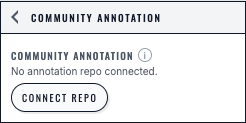
The Community Annotation entry point reports that no repository is connected and offers the explicit Connect repo action.#
Quickstart (Choose Your Path)#
If you’re in a hurry, follow the path that matches your role.
You are contributing labels, votes, and comments. You do not manage the repository settings.
Open Cellucid and load the dataset.
Open Community Annotation in the left sidebar.
Click Connect repo.
In the four-step wizard, use Continue with GitHub, install/authorize the app if needed, select a repository, and choose Connect.
In Sync (pull / publish), click Pull latest.
Pick a 🗳️-marked categorical column (e.g.
leiden).Click a category (cluster) to open the voting modal.
Vote, comment, and add suggestions; then Publish so others can see your work.
Next: read Community Annotation — Annotator Guide (UI + Voting) for the full workflow, edge cases, and troubleshooting.
You are running an annotation round: you create/configure the GitHub repo, decide what is annotatable, tune consensus rules, and optionally moderate merges.
Confirm the dataset id is stable (
dataset_identity.json["id"]).Create an annotation repo (recommended: start from the
cellucid-annotationtemplate).Edit
annotations/config.jsonto include your dataset id and fields to annotate.Install the Cellucid GitHub App on the repo owner and ensure the repo is selected.
In Cellucid, connect to the repo and Pull latest.
Enable the annotatable columns under MANAGE ANNOTATION.
During the round, periodically Pull, resolve duplicates (optional merges), and communicate decisions.
At the end, close fields, Pull one last time, and export a consensus snapshot.
Next: read Community Annotation — Author Guide (Repo Setup + Operations) for full setup/ops, scaling guidance, and troubleshooting.
Guides (Deep Dives)#
Create and operate an annotation repo, configure votable columns, tune consensus thresholds, and moderate/merge duplicates.
Sign in, choose a repo, Pull/Publish, vote, comment, propose suggestions, and finish an annotation round.
Button-by-button explanation of the Community Annotation UI, plus large troubleshooting sections for authors and annotators.
Glossary (Plain-Language First)#
This section defines terms you will see across all pages. (Computational readers: many of these map directly to files and scopes.)
Dataset id: a stable identifier for the dataset (from
dataset_identity.json["id"]). Changing it makes annotation “disappear” because it’s treated as a different dataset.Annotatable column / field: a categorical
obscolumn the author enables for voting (e.g.leiden,cluster,cell_type_coarse).Category: one value/level inside a categorical column (e.g. Leiden cluster
"7"). You vote per category.Suggestion: a proposed label for a category (e.g. “CD4 T cell”).
Vote: an upvote (▲) or downvote (▼) on a suggestion.
Consensus: the current “winning” label for a category under the author’s rules.
Pull: download the current GitHub files into your local cache and rebuild the merged view in your browser.
Publish: upload your changes directly when GitHub reports push permission, or by fork + Pull Request only when the repository allows forking. The selected route never switches to another mutation route.
Branch: a GitHub branch (e.g.
main,v1-round1). Your group must agree on which branch to use.Fork + Pull Request (PR): a safe way to contribute without direct write access; your changes become visible after the PR is merged.
What Gets Annotated (Mental Model)#
Community annotation is per dataset, per categorical obs column, per category:
Dataset: identified by
dataset_identity.json["id"](see the Author Guide for why this must be stable).Annotatable column: a categorical obs field (e.g.
leiden,cluster,cell_type_coarse) that the author enables for annotation.Category: one category/level within that column (e.g. Leiden cluster
"7"). Each category gets its own vote/suggestion “bucket”.
Within each bucket, annotators can:
propose one or more suggestions (candidate labels),
vote ▲ up or ▼ down on suggestions,
add comments to suggestions.
How Consensus Is Computed#
For each bucket (one column + one category), Cellucid computes:
voters: unique users who cast any vote in that bucket (across all suggestions)netVotes: for the current leading suggestion,upvotes - downvotesconfidence:netVotes / voters(ranges from-1to+1)
Consensus status:
Pending:
voters < minAnnotatorsConsensus: one suggestion leads after ranking first by net vote and then by upvote count, and
confidence >= thresholdDisputed: otherwise. A top tie exists only when suggestions have both equal net vote and equal upvote count.
Authors can configure minAnnotators and threshold per annotatable column in annotations/config.json (and can update those settings via the UI).
Where Data Lives (Local vs GitHub)#
If you are not technical, think of this like “drafts” vs “shared document”:
Local = your private draft (saved immediately in your browser)
GitHub = the shared document everyone can Pull
There are two different local storage layers (both scoped by dataset + repo + user):
Annotation local state (local intent)
Stores your votes/suggestions/comments and author settings you changed locally.
Purpose: preserve your work immediately, even before you Publish.
Downloaded files cache (raw GitHub files)
Stores fetched JSON files from the repo (
annotations/users/*.json, optionalannotations/moderation/merges.json).Purpose: make Pull fast and deterministic without re-downloading unchanged files.
The annotation repo is the shared source of truth. The exact local scope is
dataset id + owner/repo + branch + numeric GitHub user id. If any component
changes, Cellucid opens a different annotation scope.
Important
Annotation local state is not part of an ordinary .cellucid-session
bundle. The Community Annotation subtree is intentionally excluded because it
is network/auth-driven. Session Save/Load does not carry votes, suggestions,
comments, repository connection, or GitHub authentication.
GitHub tokens live in
sessionStorage.Votes/suggestions/comments and the repo connection use annotation-specific local storage.
Raw pulled GitHub file bodies use IndexedDB, while the cache’s SHA index uses local storage. The persistent raw-file cache requires both IndexedDB and local storage. Cellucid never switches to an in-memory cache. If either storage boundary is unavailable, Pull fails without replacing the current annotation view.
Use Publish for collaboration, not session export. See What gets saved and restored.
“Fast Fix” Troubleshooting Map#
Use this as a first-stop map. Each row links to the page where the full troubleshooting lives.
Symptom |
Most likely cause |
First thing to try |
Deep dive |
|---|---|---|---|
Repo doesn’t appear at Select an annotation repository |
GitHub App not installed / repo not selected |
Add repo, then Reload |
|
“Dataset mismatch” / can’t Pull |
Dataset id missing in |
Ask an author to connect + Publish config |
Community Annotation — Author Guide (Repo Setup + Operations) |
You voted, but others don’t see it |
You didn’t Publish, or PR not merged |
Publish (or check PR merge) → others Pull |
|
Everything is disabled |
Column is closed 🗳️🏁, or you’re signed out |
Check column badge → re-sign-in → Pull |
|
Pull/Publish keeps failing |
Network / rate limits / storage restrictions |
Retry; then check browser storage and exact error text |
Next Steps#
If you maintain the dataset/repo: start with the Author Guide (Community Annotation — Author Guide (Repo Setup + Operations)).
If you are contributing votes/suggestions: start with the Annotator Guide (Community Annotation — Annotator Guide (UI + Voting)).
If you want a button-by-button explanation: see UI Reference (Community Annotation — UI Reference + Troubleshooting).
Tip
Adding more community-annotation docs:
Put new pages in
cellucid-python/docs/user_guide/web_app/j_community_annotation/.Use numeric prefixes like
04_...so they naturally sort.This page includes them automatically via a globbed toctree.