
Verified performance captures#
Benchmark panel#
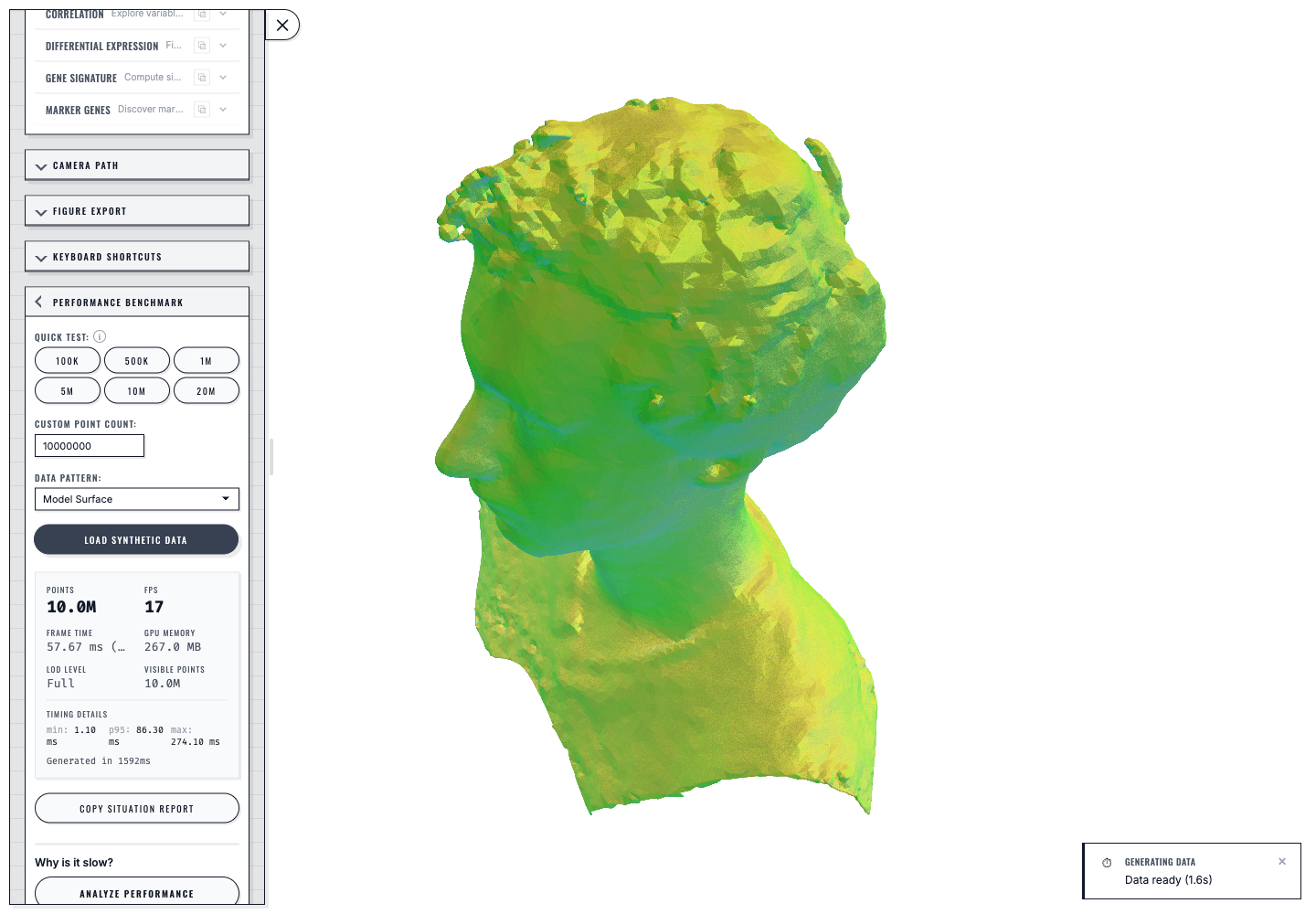
Build 2026-07-26.4 rendering the 10-million-point GLB model surface in Chromium on an Apple M1 Pro. The captured live panel reports 17 FPS, a 57.67 ms frame sample, full LOD, all 10.0M points visible, and generation in 1,592 ms.#
The scripted 1440 × 1000 acceptance series recorded the following samples:
Browser engine |
Points |
Generation |
FPS sample |
Frame-time sample |
|---|---|---|---|---|
Chromium |
10,000,000 |
1,592 ms |
18 |
56.33 ms |
Firefox |
10,000,000 |
1,838 ms |
18 |
55.76 ms |
WebKit |
10,000,000 |
1,735 ms |
19 |
53.74 ms |
Chromium |
20,000,000 |
3,082 ms |
8 |
123.00 ms |
Every row loaded the GLB exactly once, published the exact requested point
count, returned WebGL error 0, and emitted no browser error or warning. The
values describe one browser-engine run on one machine; they are acceptance
evidence, not universal performance claims. Compare measurements only on the
same machine, browser build, viewport, and dataset.
View-count cost#
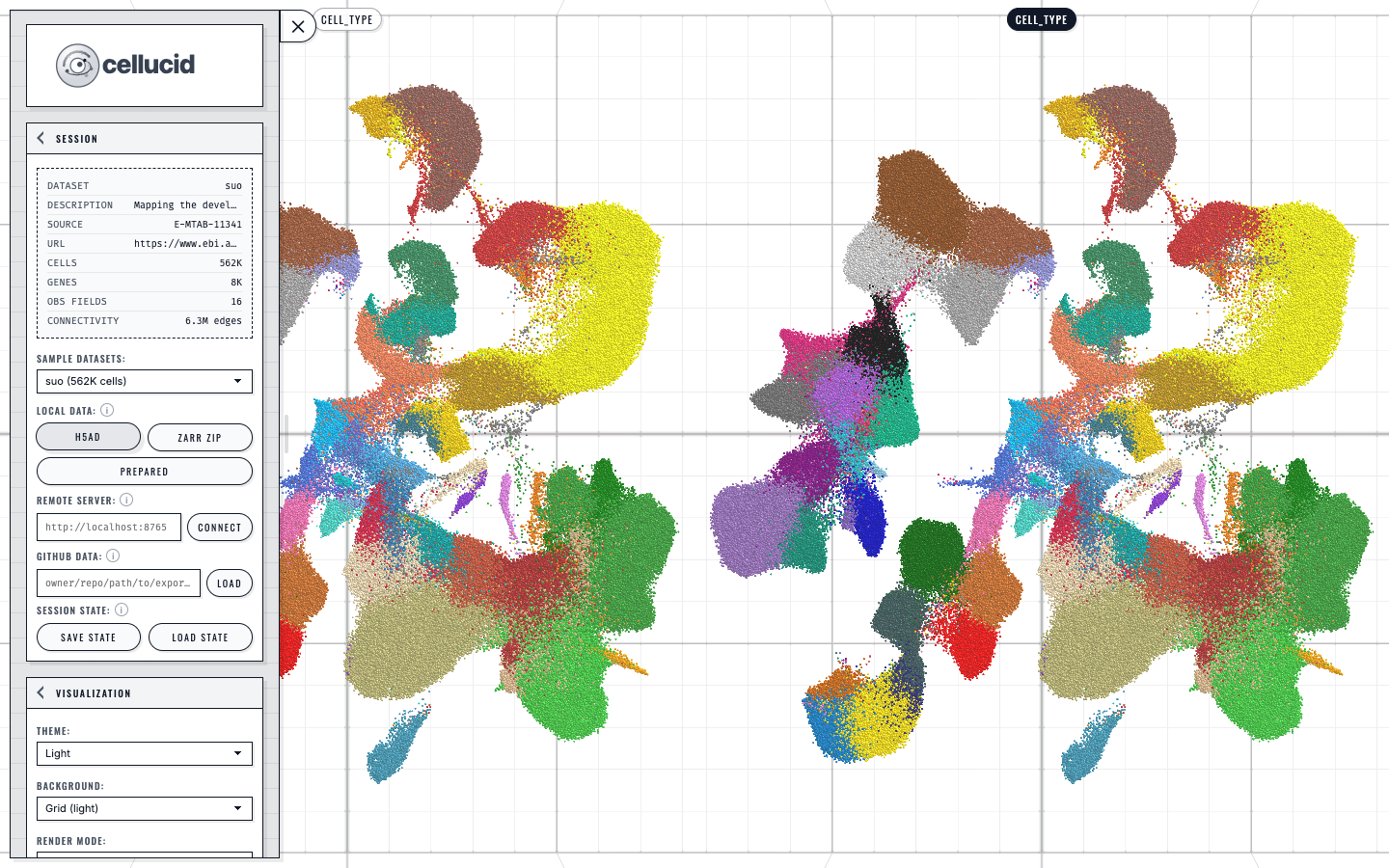
Each additional visible view adds rendering work, so tune one view before creating a small comparison layout.#
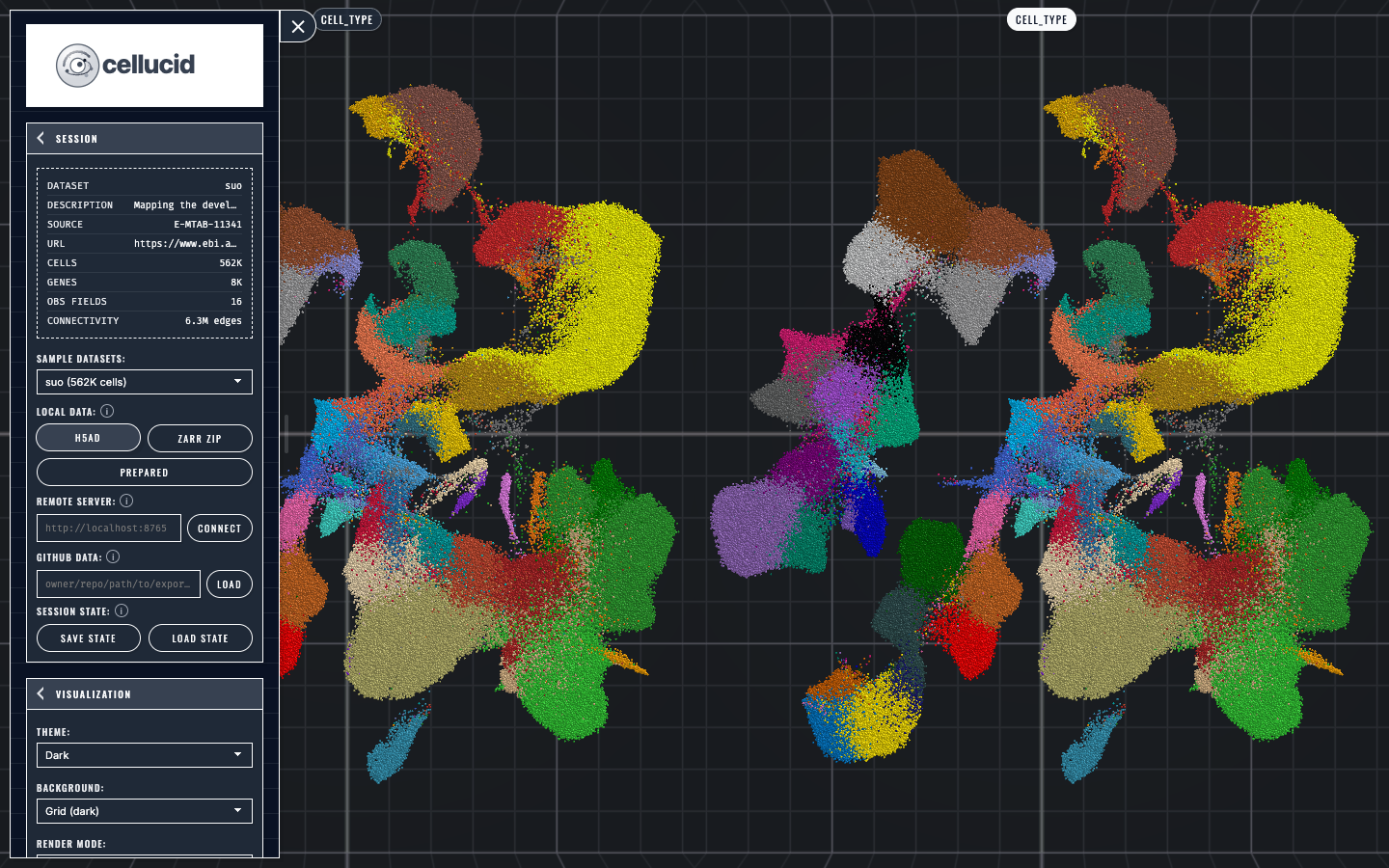
Theme and background changes apply consistently across the active comparison layout.#